New Email Notification
Winmail supports four methods for new email notifications: SMS, WeChat, DingTalk, and Feishu. When a new email arrives, you can receive timely notifications directly on your mobile phone.
Method 1: SMS
Administrators configure SMS parameters within the management console; all mailbox users utilize these system-level settings, for which usage permissions can be defined. Individual mailbox users can independently configure their SMS notification preferences—including whether to enable notifications—and specify the mobile phone number for receiving SMS messages directly within the Webmail interface.
Utilizing a network SMS channel
Please refer to the relevant information on the Winmail product website: Winmail SMS Feature
Method 2:Via WeChat Please refer to the relevant section on the Winmail product website: Binding Winmail with WeChat
Method 3:DingTalk Method Please refer to the relevant documentation on the Winmail product website: Integrating Winmail with DingTalk
Method 4:Feishu Method Please refer to the relevant documentation on the Winmail product website: Integrating Winmail with Feishu
SMS Settings
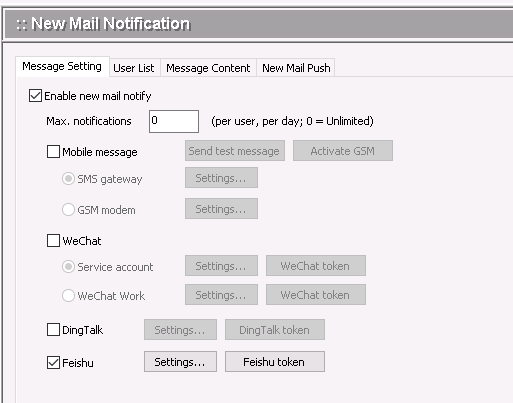
| Enable new mail notify | Whether to enable the system's SMS notification feature for new emails. |
| Max. notifications | The maximum number of new email notification SMS messages that each user is permitted to receive per day. |
| Mobile message | Choose between using an SMS gateway or a GSM modem for notifications. |
| Choose between using a Verified Service Account or WeChat Work to send WeChat notification messages. | |
| DingTalk | Use the DingTalk Open API to send DingTalk notification messages. |
| Feishu | Use the Feishu Open API to send Feishu notification messages. |
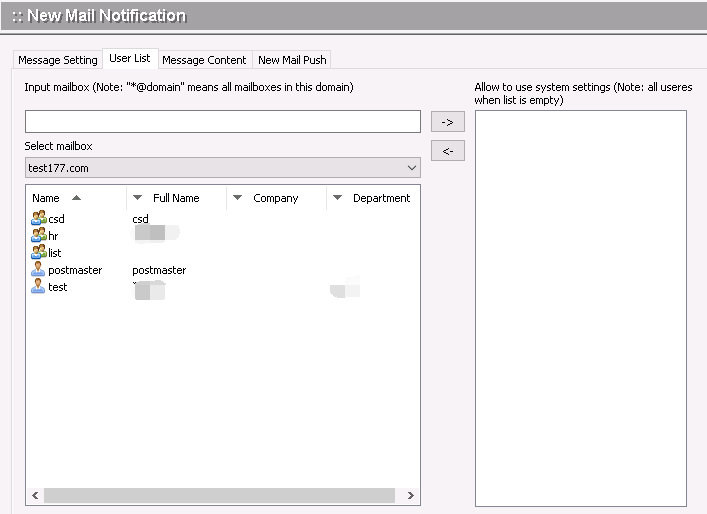
User List
Configure the users permitted to utilize this parameter for SMS notifications.
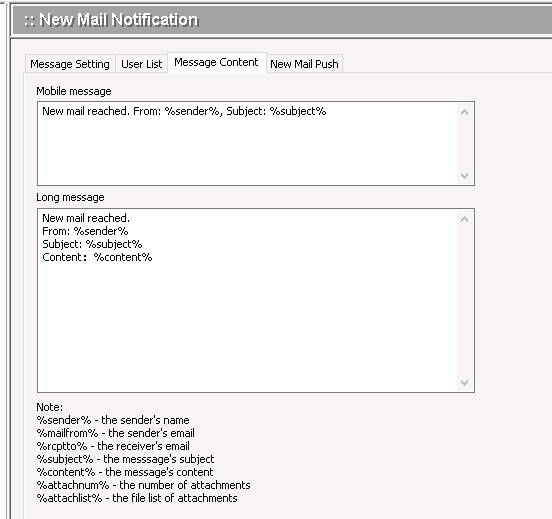
Message Content
Configure the content of SMS notifications and WeChat Work notification messages.
New Email Notification
When a new email arrives, it can be pushed to a specified URL.
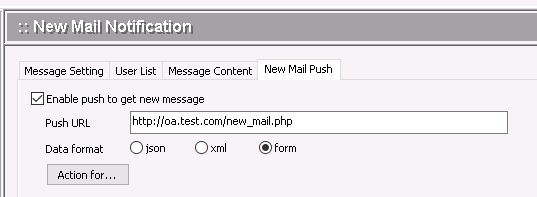
Push URL The URL for receiving new email data; supports HTTP and HTTPS.
Data Format: New email data is submitted via POST in JSON, XML, or form format. The data structure is as follows:
JSON Data Format (UTF-8 Encoding):
{
"to": Recipient's email address;
"msgid": Email ID;
"sender": SMTP sender;
"from": Email header sender;
"subject": Email subject;
"body": Email content (first 512 characters);
"attachnum": Number of attachments;
"attachlist": List of attachment filenames (separated by ||);
};
XML Data Format (UTF-8 Encoding):
<?xml version="1.0" encoding="UTF-8"?>
<Request>
<To>Recipient Email Address</To>
<MsgId>Message ID</MsgId>
<Sender>SMTP Sender</Sender>
<From>Header Sender</From>
<Subject>Subject</Subject>
<Body>Message Body (First 512 Characters)</Body>
<AttachNum>Number of Attachments</AttachNum>
<AttachList>List of Attachment Filenames (Separated by ||)</AttachList>
</Request>
Form Data Format (UTF-8 Encoding):
wm_to=Recipient's Email Address;
wm_msgid=Message ID;
wm_sender=SMTP Sender;
wm_from=Email Header Sender;
wm_subject=Email Subject;
wm_body=Email Body (First 512 characters);
wm_attachnum=Number of Attachments;
wm_attachlist=List of Attachment Filenames (separated by ||);
Webmail New Message Notification
Users can use Webmail to configure a mobile number for new email notifications, or to link their WeChat and DingTalk accounts.