IP Location
Set the location to the IP address. For the incorrectly marked IP address in the location database, you can set the correct loction to correct it.
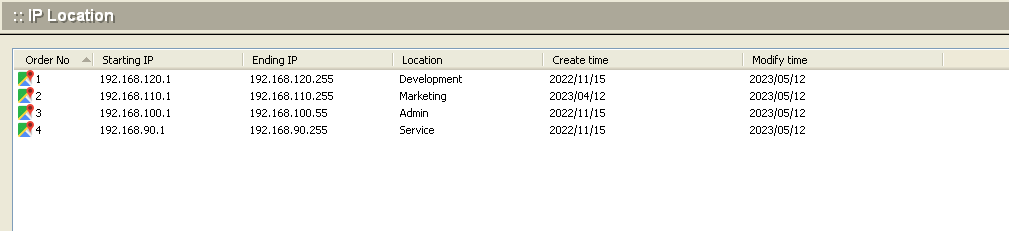
Add
To add a new location, click the Add button at the bottom of the screen. The following dialog box will appear.
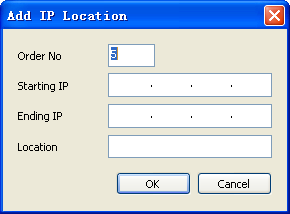
| Order NO | The priority of query |
| Start IP | The starting IP of IP address segment for adjustment. |
| End IP | The ending IP of IP address segment for adjustment. |
| Location | The location of IP address segment |
.Click OK to accept the settings.
.To modify an locaion setting, select the item from the IP Location screen and click the Modify button.
.To delete an existing location setting, select the item from the IP Location screen and click the Delete button.
.Use the Refresh button to update the database and refresh the screen.