AI Assistant
It supports integration with the APIs of mainstream large-scale AI model platforms such as DeepSeek, Qwen, MiniMax and Kimi. The Webmail interface offers features including multi-language translation, spam detection, AI-generated replies, content summarization, and bounce analysis. [ Enterprise and Ultimate Editions ] additionally support spam detection within the backend email delivery process. Utilizing external large-scale AI model platforms requires the server to have access to the public internet.
AI technology is advancing rapidly. For the latest setup instructions for this feature, please refer to the Winmail product website. /Winmail AI Assistant/
Obtain an API Key
This feature integrates with Large Language Model (LLM) open platforms via their APIs (specifically, Chat APIs compatible with OpenAI standards). To utilize this functionality, you must register an account on a relevant AI LLM open platform and complete the necessary identity verification or account top-up procedures. You may opt to use general text/conversational models billed on a per-token basis, or subscribe to specific plans—such as "Coding Plans" or "Token Plans"—that are based on the number of API calls. The specific choice of model or plan should be determined through your own testing and evaluation, taking into account the number of users within your email system and your email traffic volume. Initially, you may utilize any free trial credits provided by the platform upon completing real-name verification, top up your account with a small amount (e.g., $10.00) for testing purposes, or purchase the lowest-tier subscription plan available. Subsequently, you can select the most suitable method—whether topping up your balance or upgrading your subscription plan—to continue using the service. Please note that certain platforms' "Coding Plan" subscriptions explicitly prohibit API calls, restricting their usage solely to integrated programming tools; an example of this is the "Coding Plan" offered by Alibaba Cloud Bailian.
Generate and record an API Key within the AI Large Model Development Platform. Then, navigate to the "Online Help" (API Documentation) section on the platform to locate the base_url and model parameters required for API calls (specifically, the OpenAI-compatible API); typically, multiple model options will be available.
Parameter Settings
It features built-in reference configuration parameters for mainstream AI platforms, which can be customized according to specific requirements.
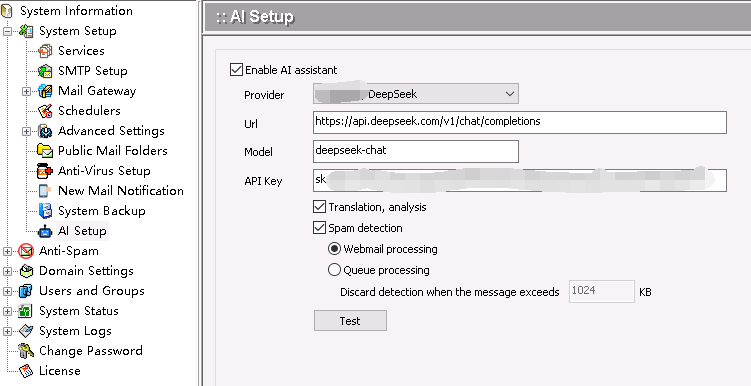
| Configuration Item | Description |
|---|---|
| Service Provider | Select an AI Large Language Model (LLM) platform, utilizing built-in official models—such as DeepSeek, Qwen, MiniMax, and Kimi or user-defined configurations with custom parameters. |
| Url | To invoke the URL endpoint, you typically use base_url + "/chat/completions"; for example, if using the official DeepSeek service, you would enter https://api.deepseek.com/v1/chat/completions. |
| Model | Enter the specific name of the model you wish to use (case-sensitive; typically consists of all-lowercase words); select a text-based, high-speed model. |
| API Key | Enter the API Key created on the platform. It must be entered in full, including the "sk-" prefix, and is case-sensitive. |
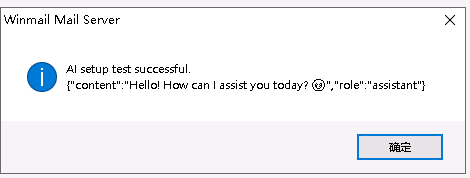
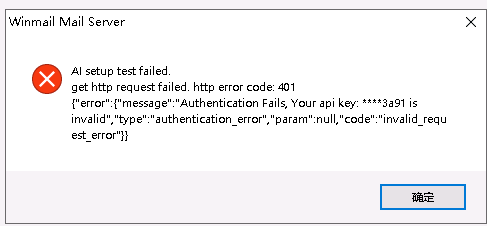
Click "Test." If the message "AI Settings Test Successful" appears, the test was successful; please save the application settings. If the message "AI Settings Test Failed" appears, please check the various configuration parameters and the server network connection based on the information displayed in the pop-up window.
-
Email Translation and Analysis:
- Webmail Email Reading Support:
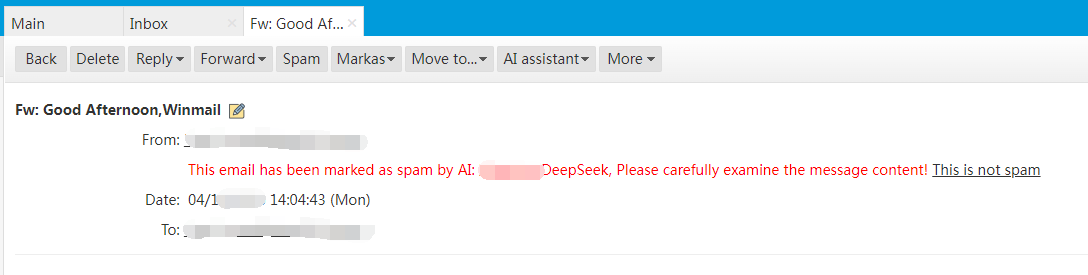
- Spam Detection
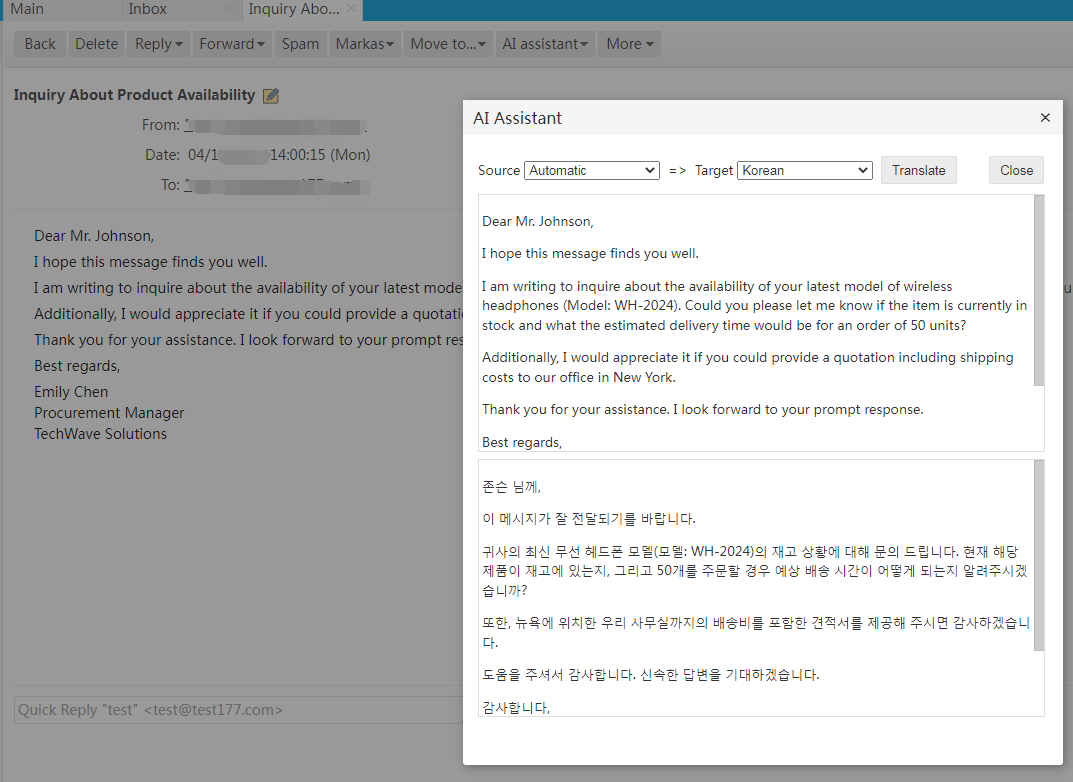
- Multilingual Translation
- Response Generation
- Content Summarization
- Bounce Analysis
- Webmail Compose Support:
- Multilingual Translation
- Generate Replies
- Email Polishing
- Spell Check
- Webmail Email Reading Support:
-
Spam Detection (Choose One):
- Webmail Handling: When a user opens a new email in Webmail, an online scan is performed; if the email is identified as spam, a notification message is displayed on the page.
- Delivery Process Handling [ Enterprise/Ultimate Editions ]: Performs spam detection on emails processed by the background delivery daemon—specifically targeting emails originating from external systems. To prevent legitimate emails from being erroneously rejected outright by the system, it is recommended to select the "Save to Quarantine" option located under "Anti-Spam" > "SMTP Filter" > "Dealing with Spam", while simultaneously requiring no "SpamAssassin filtering". Enabling this feature will result in an increased frequency of API calls.
Related Screenshots