Quarantines
The administrator can view the suspicious messages, and setup the reserver days.
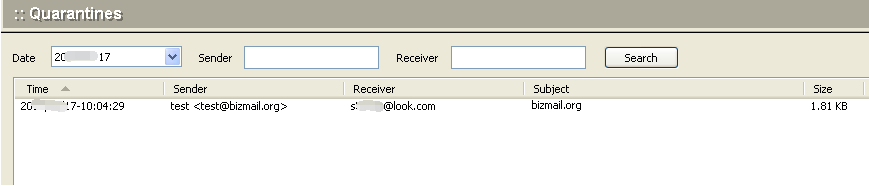
To setup the quarantine options, click the Setup button at the bottom of the screen. The following dialog box will appear.
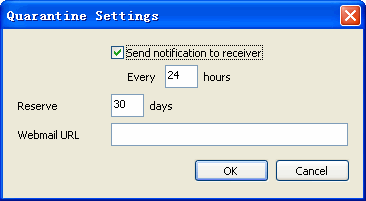 {: style="max-width:100%; border:1px solid #ccc;" }
Use the following table for reference when setup. Click OK to accept each filter and continue.
| Send notification to receiver | When there is suspicious mail in the quarantine area, the mail system will automatically send a notification e-mail to the recipient |
| Reserver | This option is to indicate how many days a suspicious message will be saved on the server |
| Webmail URL | Access Webmail URL, when set it, the recipient can click on the link to retrieve the suspicious message. |