spamcop 黑名单移除说明
从 www.spamcop.net 中移除垃圾邮件黑名单
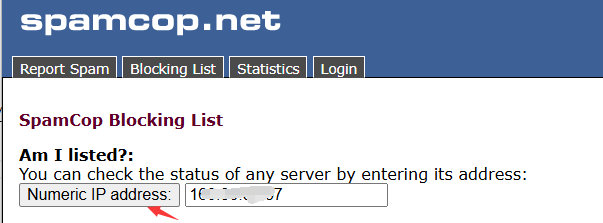
1、打开 https://www.spamcop.net/bl.shtml 输入邮件服务器 IP 地址查询,并点击 "Numeric IP address"
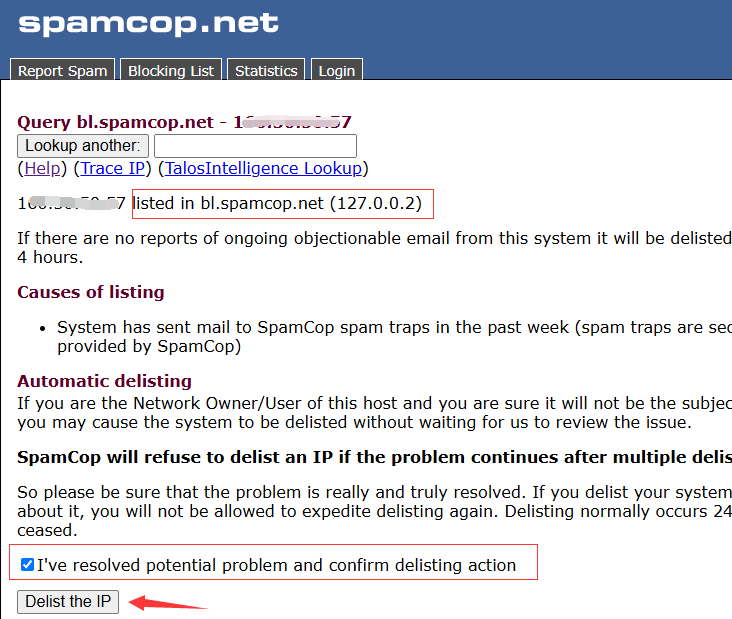
2、如果显示 "listed in bl.spamcop.net",代表 ip 在黑名单,选中 “I've resolved potential problem and confirm delisting action”。点击 "Delist the IP",申请移除IP。
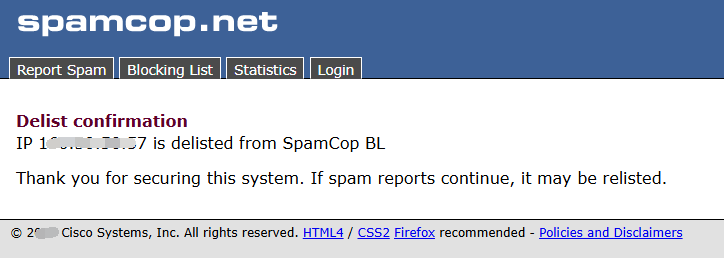
3、出现如下图中的IP xxx.xxx.xxx.xxx is delisted from SpamCop BL 。就是成功移除了。此时,只要等待 DNS 生效就可以了,一般 24 小时内。